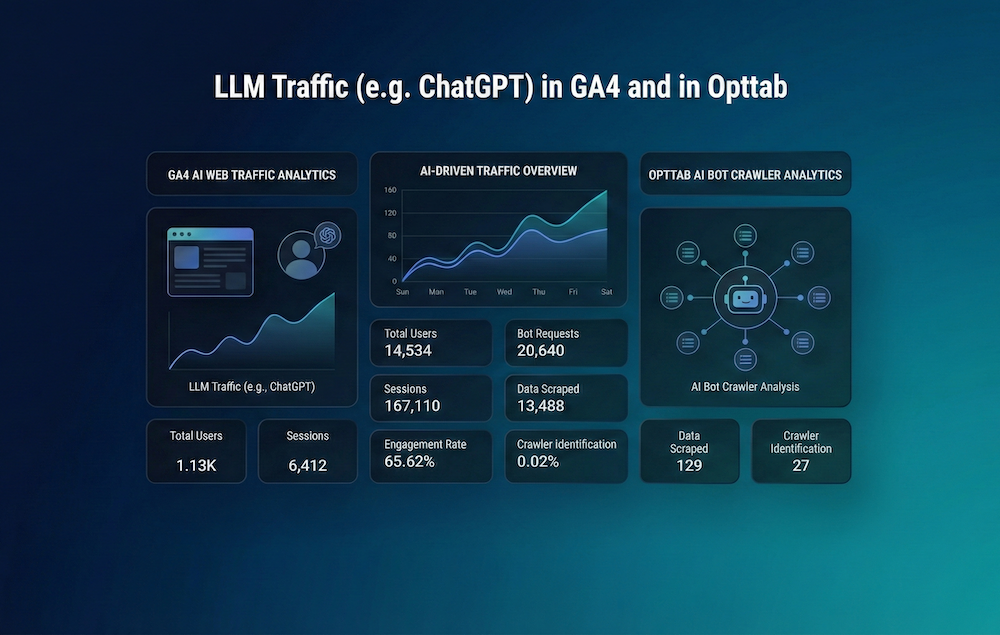
How to Track LLM Traffic (e.g. ChatGPT) in GA4 and in Opttab
Stop flying blind. Learn how to track traffic from ChatGPT, Claude, and Gemini using Google Analytics 4 (GA4) and unlock deeper bot insights with Opttab's specialized AI analytics.
Table of Contents
- Introduction: The "Dark Traffic" of AI
- The Difference: Referral Traffic vs. Bot Traffic
- Part 1: Tracking AI Referrals in Google Analytics 4
- List of Common AI Referrers
- Part 2: Tracking AI Bots with Opttab
- Why You Need a Hybrid Analytics Stack
- Frequently Asked Questions
- Conclusion
Marketing teams are currently facing a data crisis. You might notice your organic search traffic dipping, yet your brand awareness seems stable. Where are the users going? They are migrating from search engines to Large Language Models (LLMs) like ChatGPT, Claude, and Perplexity.
The problem is that traditional analytics tools like Google Analytics 4 (GA4) were not built for this era. They struggle to categorize traffic coming from AI chat interfaces, often lumping it into "Direct" or "Referral" without clear attribution. Furthermore, GA4 actively filters out bot traffic, meaning you have zero visibility into how often AI agents are actually crawling and analyzing your site.
This guide provides a comprehensive technical roadmap for tracking LLM traffic. We will cover how to configure GA4 to see human visitors coming from AI, and how to use Opttab to see the AI agents themselves.
The Difference: Referral Traffic vs. Bot Traffic
Before diving into the setup, we must distinguish between the two types of "AI Traffic":
- Referral Traffic (Humans): This occurs when a human asks ChatGPT a question, the AI provides a citation link, and the human clicks it to visit your site. This can be tracked in GA4.
- Bot Traffic (Crawlers): This occurs when an AI agent (like `GPTBot` or `OAI-SearchBot`) visits your site to read your content and update its knowledge base. This is usually blocked or ignored by GA4, but it is critical for Generative Engine Optimization (GEO). This is tracked by Opttab.
Part 1: Tracking AI Referrals in Google Analytics 4
GA4 does not have a default "AI Search" channel grouping yet. You must create it manually to separate AI traffic from general referrals.
Step 1: Access Traffic Acquisition Reports
Go to Reports > Acquisition > Traffic acquisition. By default, you will see channels like "Organic Search" and "Direct."
Step 2: Filter by Session Source
Change the primary dimension to Session source / medium. In the search bar, type "chatgpt" or "openai." You might see:
- `chatgpt.com / referral`
- `openai.com / referral`
- `bing.com / organic` (Note: Copilot traffic often masquerades as Bing organic)
Step 3: Create a Custom Channel Group
To make this permanent, go to Admin > Data Settings > Channel Groups. Create a new group called "AI Chat." Define the rule as:
Source matches regex: `(chatgpt|openai|bing\/chat|bard|gemini|perplexity|claude)`
Now, your reports will neatly segregate traffic coming from these LLMs.
List of Common AI Referrers
Update your filters with these common sources:
- ChatGPT: `chatgpt.com`, `oaistatic.com`
- Gemini: `gemini.google.com`, `bard.google.com`
- Perplexity: `perplexity.ai`
- Claude: `claude.ai`
- Microsoft Copilot: `bing.com`, `edgeservices.bing.com`
Part 2: Tracking AI Bots with Opttab
GA4 tells you about the humans. But who tells you about the robots? If `GPTBot` tries to crawl your pricing page but fails due to a firewall issue, you will never know via GA4. This is a GEO disaster.
Opttab's AI Bot Analytics fills this gap. Because Opttab sits at the infrastructure level (via AXP), it logs every handshake with AI crawlers.
1. Monitoring Crawler Frequency
The Opttab dashboard shows you exactly how often major models visit your site. A drop in crawl frequency from `ClaudeBot` might indicate that your site structure has become difficult for the AI to parse, prompting you to update your `llms.txt`.
2. Identifying "Zero-Click" Value
Opttab correlates Bot Visits with Visibility Scores. If you see a spike in crawling activity from Perplexity followed by an increase in your "Share of Voice," you know your GEO strategy is working—even if those users aren't clicking through to your website yet.
3. Content Consumption Heatmaps
Opttab can show you which parts of your site the bots are prioritizing. Are they spending time on your Blog or your Documentation? This insight helps you understand what data the AI finds most valuable for training.
Why You Need a Hybrid Analytics Stack
Relying solely on one tool gives you an incomplete picture.
Google Analytics 4 (GA4)
Focus: Conversion.
Question Answered: "How many people clicked a link in ChatGPT and bought my product?"
Opttab Analytics
Focus: Visibility and Health.
Question Answered: "Is ChatGPT reading my content correctly, and is my brand being recommended in the answer?"
Frequently Asked Questions
Why do I see "Direct" traffic increasing?
Many AI apps (especially mobile apps) strip the "Referrer" data for privacy. This creates "Dark Social" or "Dark AI" traffic that appears as Direct. Using Opttab to correlate visibility spikes with Direct traffic spikes is one way to attribute this.
Can I see exactly what the user asked ChatGPT before clicking?
No. Due to privacy encryption, the specific prompt is not passed to GA4. However, Opttab's Query Rankings tool simulates thousands of prompts to tell you which questions likely triggered your recommendation.
Conclusion
Tracking LLM traffic requires a mindset shift. You are no longer just tracking clicks; you are tracking the relationship between your digital assets and the world's artificial intelligences.
By combining the referral tracking of GA4 with the bot intelligence of Opttab, you gain a 360-degree view of your performance in the AI economy.
Unlock the invisible data.
Start tracking AI crawler behavior and visibility scores today with Opttab's advanced analytics suite.